
Download Maximus AI – AI Content Generation, Image Creator, Coding Assistant
Overview of Maximus AI
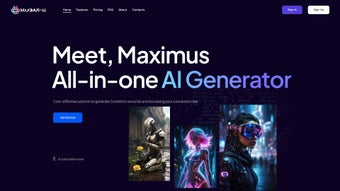
Maximus AI is a cloud‑based, all‑in‑one artificial intelligence platform that empowers writers, marketers, designers, and developers to produce high‑quality content at speed. Built on the latest large‑language‑model technology, the tool combines an AI Writer, AI Image Creator, code generation utilities, voice‑to‑text and text‑to‑voice capabilities, an AI vision module, and a conversational chatbot—all wrapped in a clean, intuitive dashboard. Whether you’re battling writer’s block, need a custom illustration for a blog post, want to prototype a piece of code, or require fast transcription for a podcast, Maximus AI delivers a seamless experience without the need for multiple subscriptions. Its web‑first design means you can access the full suite from any modern browser, while the built‑in analytics keep track of usage, engagement, and content performance. The platform is positioned as a cost‑effective alternative to piecemeal tools, promising a unified workflow that reduces context switching and boosts productivity for freelancers, agencies, and in‑house teams alike.
Key Features That Set Maximus AI Apart
- AI Writer: Generates articles, blog posts, ad copy, and social media captions in seconds. Supports tone customization, keyword injection, and SEO‑friendly structures.
- AI Image Creator: Produces high‑resolution visuals from textual prompts. Includes style presets (illustration, photorealistic, abstract) and automatic background removal.
- Code Generator: Writes snippets in Python, JavaScript, Java, C#, and more. Offers real‑time syntax validation and can suggest improvements or refactor existing code.
- Speech‑to‑Text & Text‑to‑Speech: Transcribes audio files with up to 95% accuracy and converts written content into natural‑sounding voiceovers in multiple languages.
- AI Vision: Analyzes uploaded images for objects, scenes, and text, returning descriptive tags and actionable insights for content tagging.
- Chatbot Assistant: Provides instant answers to user queries, suggests prompts, and guides new users through the platform’s capabilities.
- Analytics Dashboard: Tracks content creation metrics, AI usage statistics, and engagement trends to help you refine your strategy.
- Collaboration Tools: Share drafts, comment in real time, and export content to popular formats (DOCX, PDF, Markdown, HTML).
- Secure Cloud Storage: All generated assets are saved in an encrypted workspace, with version history and easy retrieval.
- Scalable Pricing: Tiered plans from free limited usage to enterprise‑grade bundles, each offering a predictable cost structure.
Installation & Usage Instructions
Because Maximus AI is a web‑based solution, there is no traditional “installation” process required on your desktop or mobile device. Getting started is as simple as signing up for an account and launching the platform in a supported browser. Below is a step‑by‑step guide to ensure you can make the most of the tool from day one.
Step 1 – Create Your Account
Visit maximusai.com and click the “Sign Up” button. You can register using an email address, Google, or Microsoft account. After confirming your email, you’ll be directed to the onboarding wizard.
Step 2 – Choose a Plan
The free tier grants 5,000 characters per month for text generation and 10 image renders. If you need more capacity, select a paid plan that matches your expected workload. Payment is processed securely via Stripe, and you can upgrade or downgrade at any time from the “Billing” tab.
Step 3 – Familiarize Yourself with the Dashboard
The main dashboard is divided into four panels: Writer, Image Creator, Code Lab, and Voice Studio. Each panel features a large input box, a set of options (tone, style, language), and a “Generate” button. Hover over the question‑mark icons for tooltip explanations.
Step 4 – Generate Content
Enter a prompt in the Writer panel, such as “Write a 800‑word blog post about sustainable travel trends in 2025.” Adjust the SEO settings (keyword density, meta description) and click “Generate.” The AI will produce a draft that you can edit inline, add headings, or request a rewrite.
Step 5 – Create Visuals
Switch to the Image Creator and type a description like “A minimalist illustration of a solar‑powered electric car on a coastal road at sunset.” Choose a resolution (512×512, 1024×1024) and style, then click “Render.” The image appears in a preview pane where you can download or insert it directly into your article.
Step 6 – Export & Publish
When your content is ready, click the “Export” dropdown to download in DOCX, PDF, Markdown, or HTML. You can also push the final copy to WordPress, Medium, or HubSpot via built‑in integrations, eliminating the need for manual copy‑pasting.
Step 7 – Leverage Analytics
Visit the Analytics tab to view performance metrics such as word count per session, image generation time, and user engagement. Use these insights to fine‑tune your prompts and improve future output.
Overall, the platform’s user‑centric design means that even non‑technical users can start generating professional‑grade content within minutes, while power users can harness the API for automated workflows.
Compatibility, Pros, and Cons
Maximus AI runs entirely in the cloud, making it compatible with any operating system that supports a modern web browser. Officially supported browsers include Google Chrome (latest version), Mozilla Firefox, Microsoft Edge, and Safari. Because the service is browser‑based, it works equally well on Windows 10/11, macOS Monterey and later, Linux distributions, as well as mobile platforms such as Android 9+ and iOS 13+. The responsive design ensures a full‑featured experience on tablets and smartphones, though the most comfortable workflow is typically on a desktop or laptop with a physical keyboard.
Pros
- All‑in‑one platform eliminates the need for multiple subscriptions.
- High‑quality text and image generation with customizable tones and styles.
- Robust coding assistant supports major programming languages.
- Voice tools streamline transcription and voice‑over creation.
- Secure cloud storage with version history keeps assets safe.
- Intuitive UI reduces learning curve for beginners.
- Scalable pricing fits freelancers to enterprise teams.
- Real‑time analytics help optimize content strategy.
Cons
- Requires a stable internet connection; offline use is not supported.
- Free tier limits may be restrictive for heavy content creators.
- Advanced image styles can consume a significant amount of credits.
- Some niche programming frameworks may not be fully covered.
- Export options lack direct integration with every CMS (e.g., Shopify).
Frequently Asked Questions
Is Maximus AI safe for handling confidential information?
Yes. All data transmitted between your browser and Maximus AI servers is encrypted using TLS 1.3. The platform also employs at‑rest encryption for stored drafts and images. For enterprise customers, additional security controls such as SSO, IP whitelisting, and data residency options are available.
Can I integrate Maximus AI with my existing workflow tools?
Absolutely. Maximus AI offers RESTful API endpoints for text, image, and code generation, allowing you to connect it with project management tools like Asana, content calendars, or custom scripts. Additionally, native integrations for WordPress, Medium, and HubSpot enable one‑click publishing.
How does the pricing model work for the image creator?
Image generation is credit‑based. Each rendered image consumes a set number of credits depending on resolution and style complexity. Credits are bundled into monthly plans, and unused credits roll over for up to three months. You can also purchase additional credit packs on demand.
Is there a limit to how many characters I can generate per month?
The free tier caps text generation at 5,000 characters per month. Paid tiers start at 100,000 characters and scale up to unlimited usage for enterprise plans. You can monitor your consumption in the dashboard and receive alerts as you approach your limit.
Does Maximus AI support multi‑language content creation?
Yes. The AI Writer and Voice modules support over 30 languages, including English, Spanish, Mandarin, German, French, and Arabic. You can specify the target language in the prompt, and the system will adapt its vocabulary and grammar accordingly.
Our Verdict
Maximus AI delivers on its promise of a unified AI creative suite. The breadth of features—spanning text, image, code, and voice—means you can tackle almost any content‑creation task without hopping between separate tools. Its browser‑only architecture guarantees cross‑platform compatibility, while the analytics dashboard offers actionable insights that most competitors lack. The main drawback is the reliance on a constant internet connection and the credit‑based pricing for high‑resolution images, which may pinch heavy visual creators. Overall, for freelancers, marketing teams, and developers looking for a cost‑effective, secure, and scalable solution, Maximus AI earns a solid 4.5 out of 5 stars.
Conclusion & Call to Action
In a market flooded with niche AI tools, Maximus AI stands out by consolidating writing, imaging, coding, and voice functionalities under a single, secure umbrella. Its ease of use, extensive feature set, and transparent pricing make it a compelling choice for anyone serious about accelerating content production. Whether you’re drafting SEO‑optimized articles, generating custom graphics, or automating code snippets, Maximus AI gives you the horsepower to do it faster and cheaper than piecing together multiple subscriptions.
Ready to experience a smarter way to create? Sign up for a free account today and unlock the first 5,000 characters and 10 image renders at no cost. Upgrade whenever you’re ready to scale, and let Maximus AI become the engine behind your next great piece of content.



.png)



